A new minor version, 2.4.0, has been released for Devflow CMS. This version of Devflow CMS is the first release to leverage data stored in the event store, demonstrating what is possible when you use event sourcing in a CMS.
The major feature in this release is the editorial workflow. Devflow doesn’t ship with typical post or page content types, but allows you to create the types of content you need. This allows for a more flexible system.
Since content is at the heart of Devflow, it made sense to add an editorial workflow feature that allows teams to create, review, approve, and publish content in a structured and organized way.
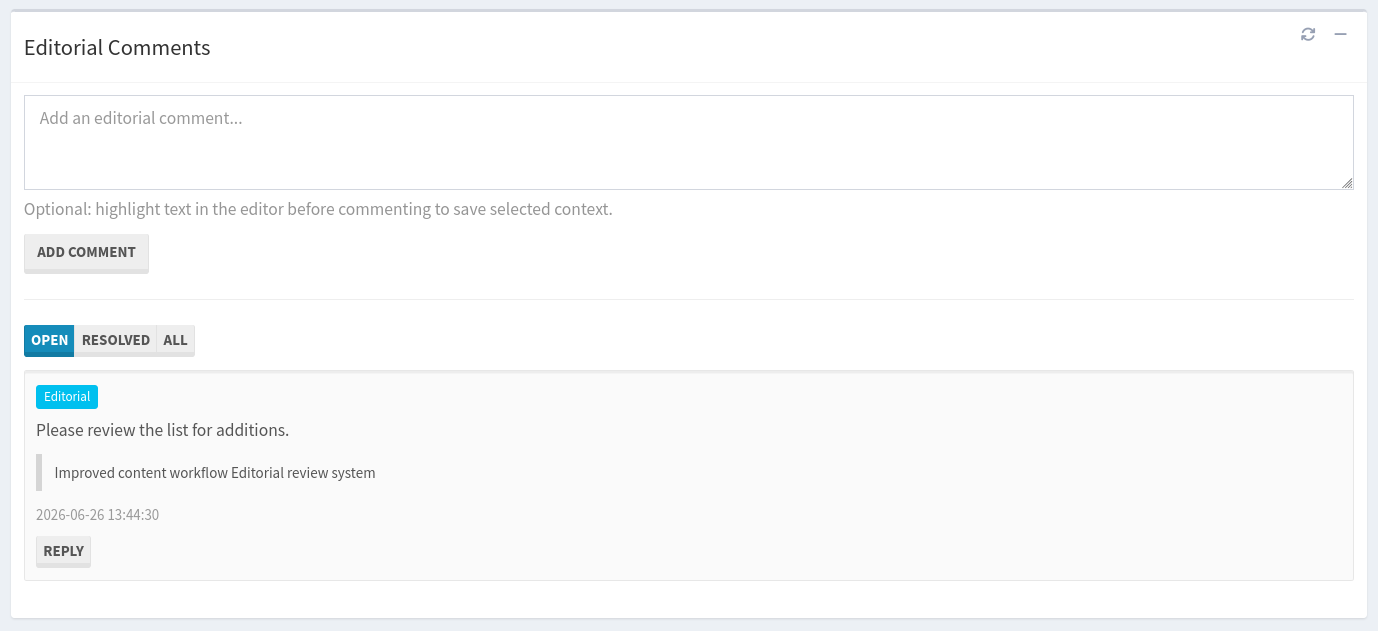
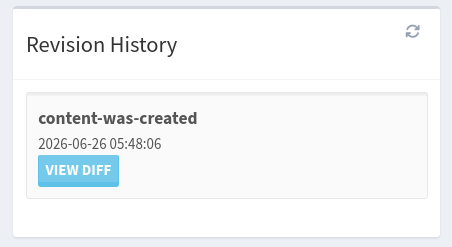
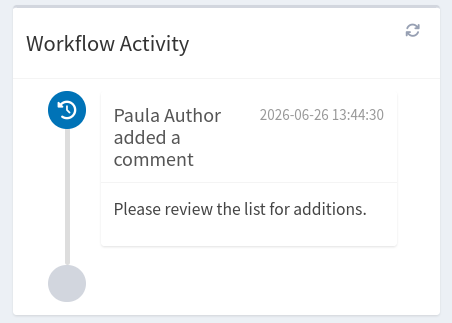
The editorial workflow ensures that content is funneled through a review process before publication, provides accountability through activity tracking, and makes collaboration easier through comments, notifications, and revision history.
Whether your organization consists of a single editor or a large publishing team, the editorial workflow feature helps ensure that content is accurate, reviewed, and ready before it reaches your intended audience.
Screenshots
 |
 |
 |
 |
Workflow Stages
Content moves through several stages during its lifecycle. The following takes you through a typical editorial workflow.
Draft
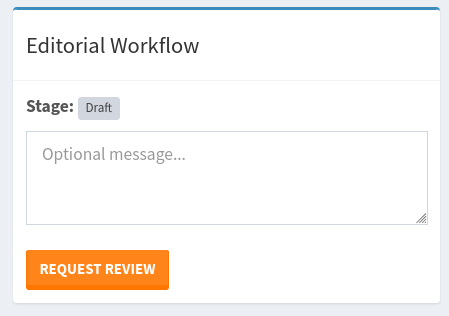
Draft content is still being written or edited.
At this stage:
- Authors can create and edit content.
- Content is not visible to the public.
- Editorial comments may be added.
- The author may continue making changes.
Pending Review
When an author believes content is ready for review, they can submit a review request.
At this stage:
- Editors and reviewers are notified.
- Reviewers can provide feedback.
- Editorial discussions can take place.
- Changes may still be requested.
Content remains unpublished until the review process is completed.
Approved
Approved content has passed the review process.
At this stage:
- Review is complete.
- Content is ready for publication.
- Publishers can publish immediately or schedule publication.
Approved content is not automatically published.
Scheduled
Scheduled content has been approved and is waiting for a future publication date.
At the scheduled time:
- Devflow CMS automatically publishes the content.
- The content becomes publicly available.
Published
Published content is visible to visitors.
At this stage:
- Content is publicly available.
- Revision history remains available.
- Additional edits may require another review cycle depending on your organization's process.
Roles and Responsibilities
The roles and responsibilities have been organized and more defined in the ./config/rbac.php file. Also, new roles and permissions have been defined to support the new editorial workflow feature.
Author
Authors are content creators and maintainers of content. An author creates a new article and saves it as a Draft. Once writing is complete, the author submits a Review Request, and the stage moves from draft to pending review.
Authors can:
- Create content
- Edit content
- Request review
- Withdraw review requests
- Participate in editorial discussions.
- View workflow activity
- View revision history
Authors cannot:
- Approve content
- Assign reviewers
- Publish content
Editor/Reviewer
Editors manage the review process and are also reviewers who evaluate content for quality, accuracy, and completeness. An editor can be the only reviewer and/or assign other reviewers (editors or admins). Reviewers receive notifications that the content is ready for review.
Editors can:
- Assign reviewers
- Review content
- Approve content
- *Request changes (If changes are requested, the content returns to the author.)
- Leave editorial comments
- Participate in discussions
- Mark their review as complete.
- Resolve comment threads
- Oversee workflow progress
Editors are responsible for determining whether content is ready for approval.
*If the editor/reviewer requests changes, then the author updates the content, resubmits it for review, and the review cycle continues until approval is granted.
Publisher
Publishers control when approved content goes live.
Publishers can:
- Publish approved content
- Schedule approved content for future publication
Publishers ensure content is released at the appropriate time.
Best Practices
So that your editorial team gets the most out of the editorial workflow:
- Use reviewers consistently.
- Keep discussions within editorial comments.
- Request review only when the content is ready.
- Review the revision history before restoring content.
- Use scheduled publishing for planned campaigns.
- Resolve comment threads when discussions are complete.
- Maintain clear and constant communication throughout the review process.
Following these practices helps you and your team publish high-quality content efficiently and consistently.
File Changes
M config/rbac.php
M database/migrations/20260221185602_CreatePageTranslationsTable.php
M locale/devflow-br.mo
M locale/devflow-br.po
M locale/devflow-cn.mo
M locale/devflow-cn.po
M locale/devflow-de.mo
M locale/devflow-de.po
M locale/devflow-en.mo
M locale/devflow-en.po
M locale/devflow-es.mo
M locale/devflow-es.po
M locale/devflow-fr.mo
M locale/devflow-fr.po
M locale/devflow-it.mo
M locale/devflow-it.po
M locale/devflow-ja.mo
M locale/devflow-ja.po
M locale/devflow-ru.mo
M locale/devflow-ru.po
M locale/devflow.pot
M public/static/assets/css/admin-styles.css
M resources/views/backend/admin/content/create.phtml
M resources/views/backend/admin/content/view.phtml
D resources/views/backend/general.phtml
M resources/views/backend/layouts/admin-layout.phtml
D resources/views/backend/reading.phtml
M resources/views/backend/updates.phtml
M routes/web/admin.php
A database/migrations/20260619084010_CreateContentCommentTable.php
A database/migrations/20260619084025_CreateContentActivityTable.php
A database/migrations/20260619084044_CreateContentNotificationTable.php
A database/migrations/updates/20260619084010_CreateSiteContentCommentTable.php
A database/migrations/updates/20260619084025_CreateSiteContentActivityTable.php
A database/migrations/updates/20260619084044_CreateSiteContentNotificationTable.php
A public/static/assets/css/admin-content-workflow.css
A public/static/assets/css/admin-extra.css
A public/static/assets/js/admin-content-notifications.js
A public/static/assets/js/admin-content-workflow.js
A resources/views/backend/settings.phtml

Join the conversation.
Have questions, feedback, or ideas? Leave a comment below.